Turning Your Server Off & On
Turning Your Server Off & On
Most of the time, you never need to think about powering your Livinity — it just runs. But when you do, here are your options. You'll find them in Settings → Power.
Restart
A Restart reboots your computer — the classic "turn it off and on again." It's the go-to fix if something's acting up, and it only takes a moment.
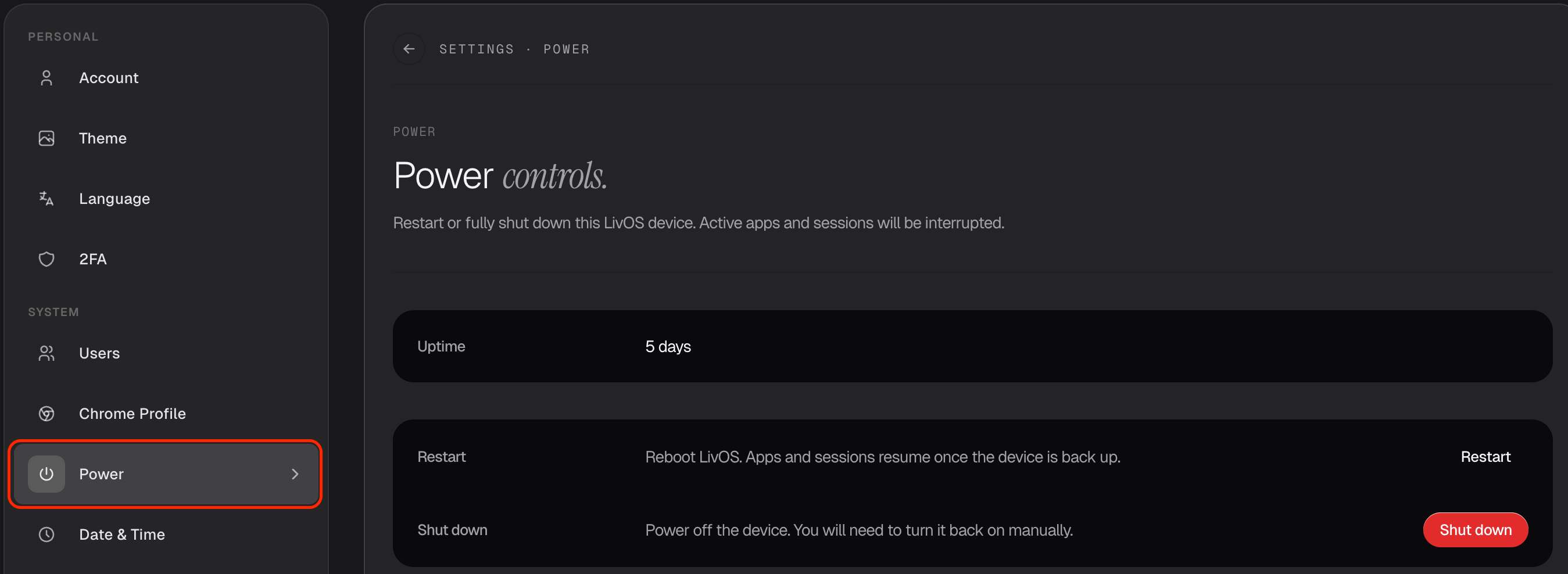
Shut Down
Shut Down powers your computer all the way off. Your apps and files stay safe — nothing is lost — but your Livinity won't be reachable until it's switched back on.
Heads up: if your Livinity runs on your own hardware at home, you'll need to physically turn the machine back on after a shut down.
Sleep and wake happen on their own
On a cloud-connected Livinity, you don't have to manually start it up. When you're not using it, it quietly goes to sleep to save resources — and the moment you open it again, it wakes automatically. That's why you might see "your computer is asleep" on your dashboard; just click in, and it stirs back to life.
So in short: Restart to fix a hiccup, Shut Down to switch off completely, and let sleep and wake take care of themselves.