Desktop Widgets
Desktop Widgets
Widgets are little panels you can place on your desktop for info at a glance — no need to open an app to check.
What you can add
A few handy widgets come built in:
- System info — how your computer's doing (processor, memory, storage).
- Clock — the time, front and center.
- Top apps — your most-used apps, ready to open.
- App status — see at a glance which apps are running.
- Quick notes — a little notepad right on your desktop.
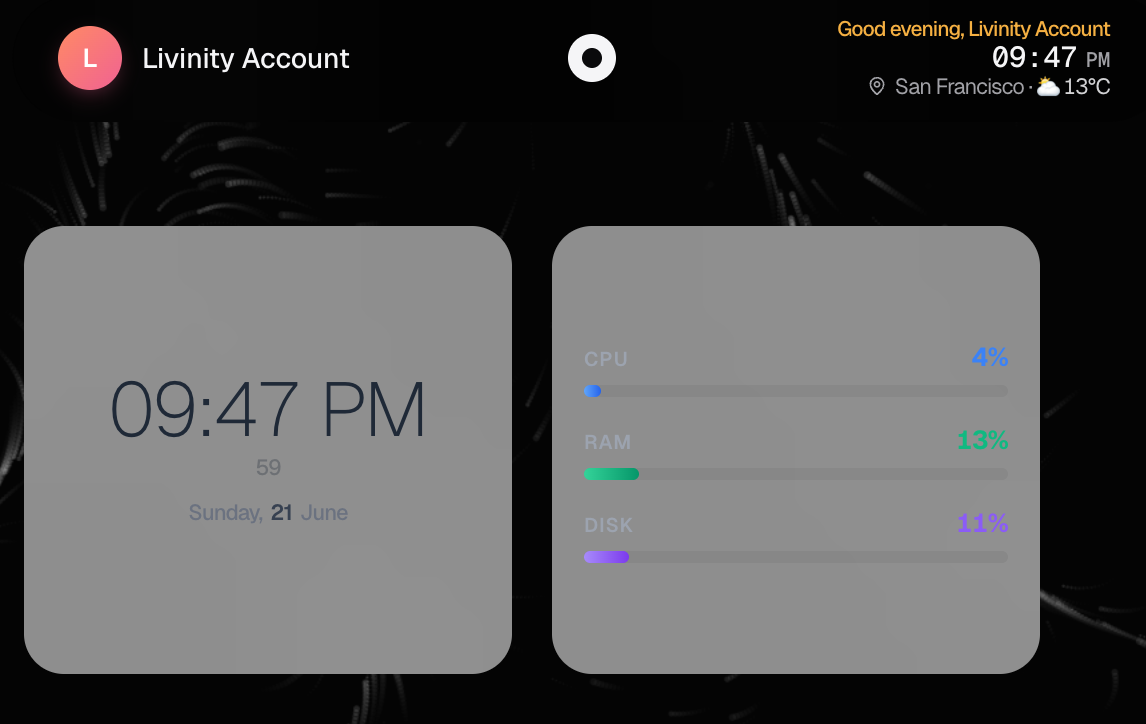
Adding a widget
Open the widget picker, choose the one you want, and it appears on your desktop. You can move widgets around to arrange them however you like.
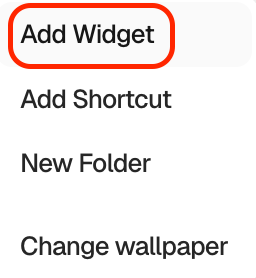
Managing them
Right-click a widget for its options, including removing it if you no longer want it there.
Pick a couple that are useful to you — the clock and system info are great starting points — and make your desktop work a little harder for you.
Need a hand? Reach the team at everything@livinity.io.